What was said, written down.
Skriptr records, transcribes and summarizes, so the notes are ready when the conversation ends. Speaker labels, timestamps and key points, in 99 languages.


Free for 5 hours of transcription a month. No credit card.
One tap. Then the work is done for you.
Record, or import a file.
Recording works offline and keeps going with the screen locked or in another app, and picks up again after a call. Import MP3, WAV, M4A, AAC, AIFF or FLAC up to 500 MB.
Stop. It is saved and sent.
The recording is saved to your phone the moment you stop, then uploads on Wi-Fi by default. Transcription and the summary start on their own.
Read it, share it, export it.
A transcript with speakers and timestamps, a summary with key points, and a notification when it is ready if you turn one on.
For people who would rather talk than type.
The minutes, without taking them
A summary with key points for every meeting, ready soon after you stop.
- Product managersreviews, planning
- Consultants and coachesclient sessions
- Whoever takes the minutesevery meeting
Notes and subtitles, ready to share
Lectures become notes. Episodes become subtitles. Export SRT, or a PDF with each speaker in their own color.
- Studentslectures
- Podcastersshow notes
- Video creatorsSRT subtitles
Quotes you can stand behind
Every line is timestamped and tagged by speaker, so the quote and the moment it came from stay together.
- Reportersinterviews
- Researchersfield work
- Recruitersscreening calls
Everything in the recording, in writing.
Know who said what.
Skriptr separates the voices and tags them Speaker A, B and C, color-coded through the transcript. Nothing to label by hand.
Quotes with receipts.
Every line keeps its time. Tap one to hear that moment, at 1×, 1.25×, 1.5× or 2×.
The notes, not the recording.
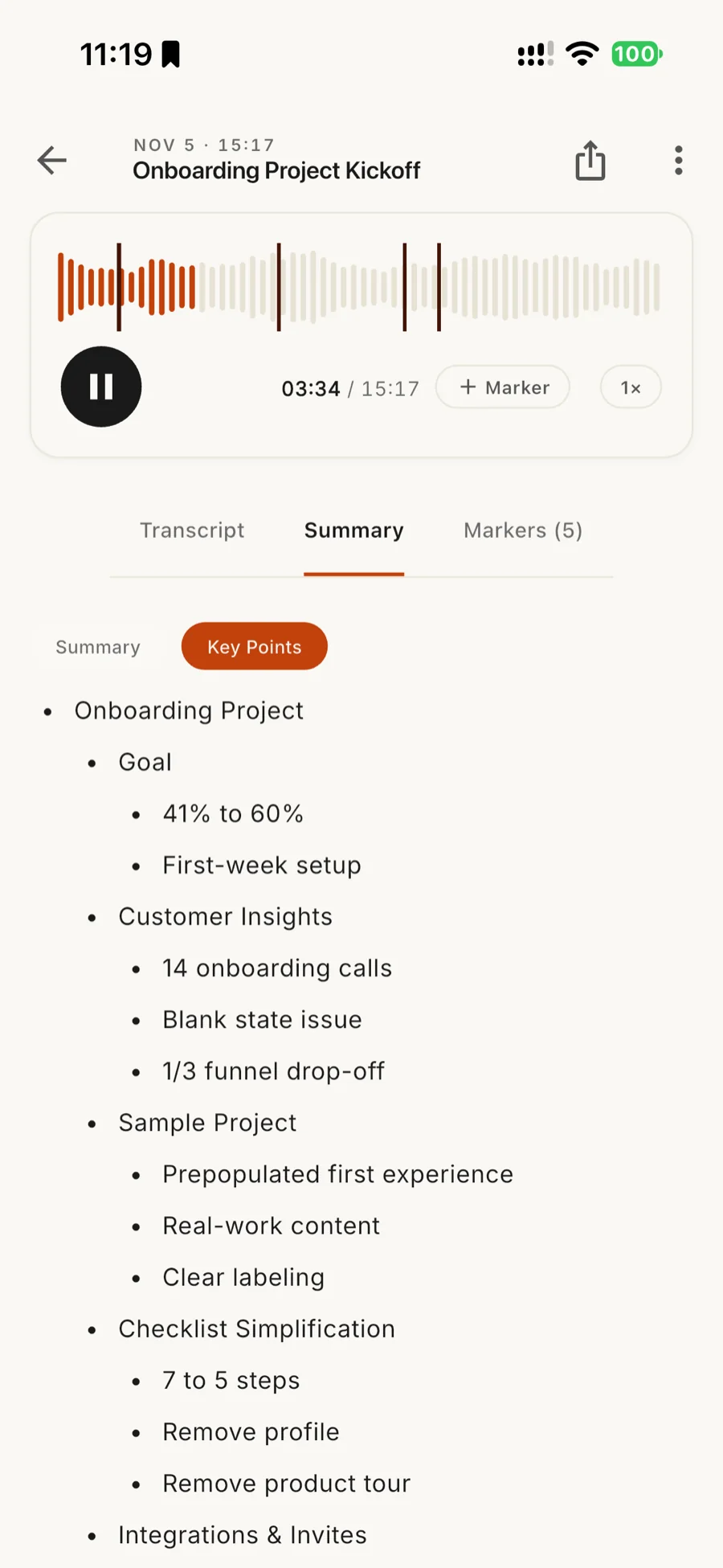
A short narrative and a list of key points, written for every recording while you do something else.
99 languages.
Skriptr transcribes in the language of your app and device settings. The app itself comes in 13 languages.
Share it your way.
PDF with each speaker in their own color, plain text, or SRT subtitles. Choose what goes in: summary, transcript, key points. Print it, or share by link or with specific email addresses and see who has it.
Connect an AI app.
Let an assistant read your recordings and ask it what was said. You approve each app with Face ID, Touch ID, fingerprint or passcode, and can disconnect it any time.
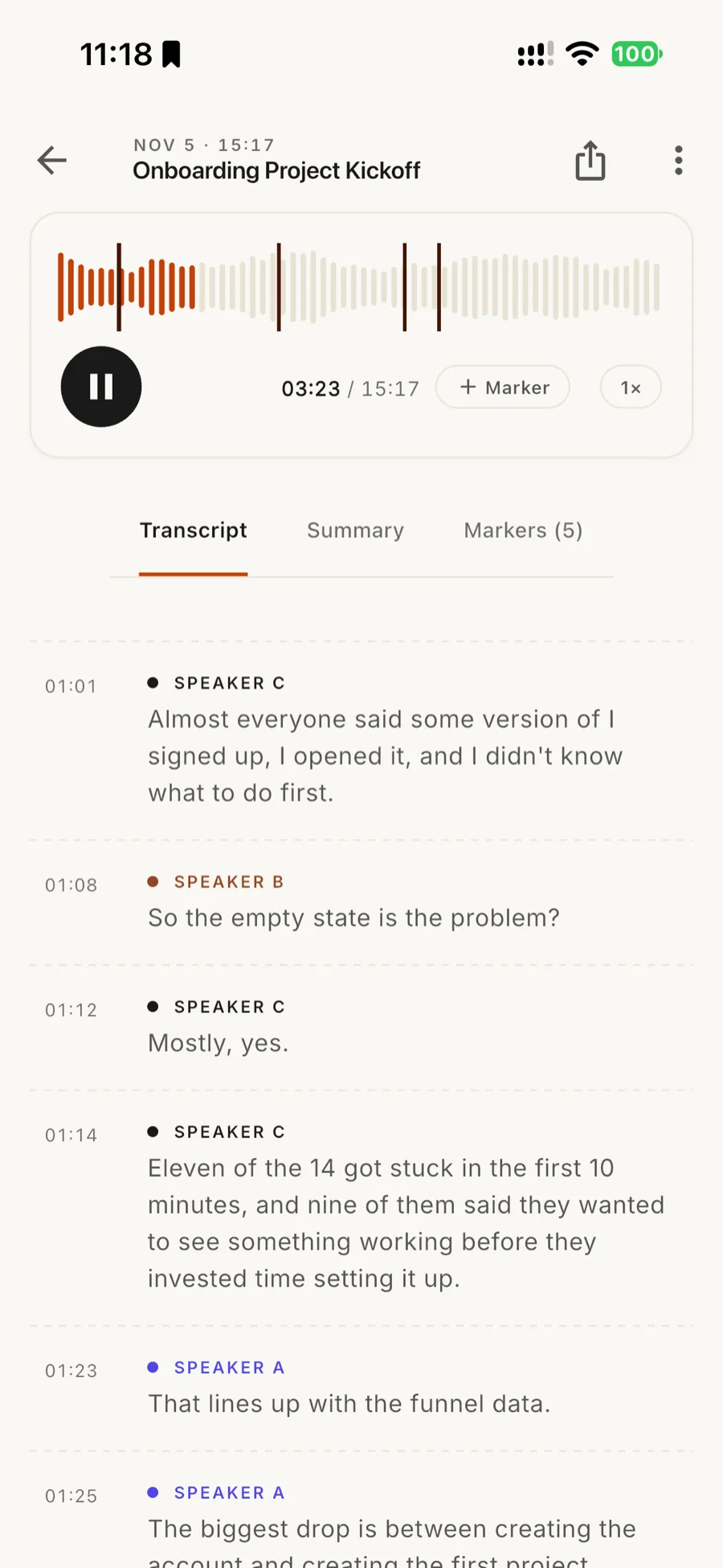
The transcript, annotated.
- Speakers, told apart.
Each voice gets a label and a color: Speaker A, B, C.
- A time on every line.
Tap it and the audio plays from there. The line being played is highlighted.
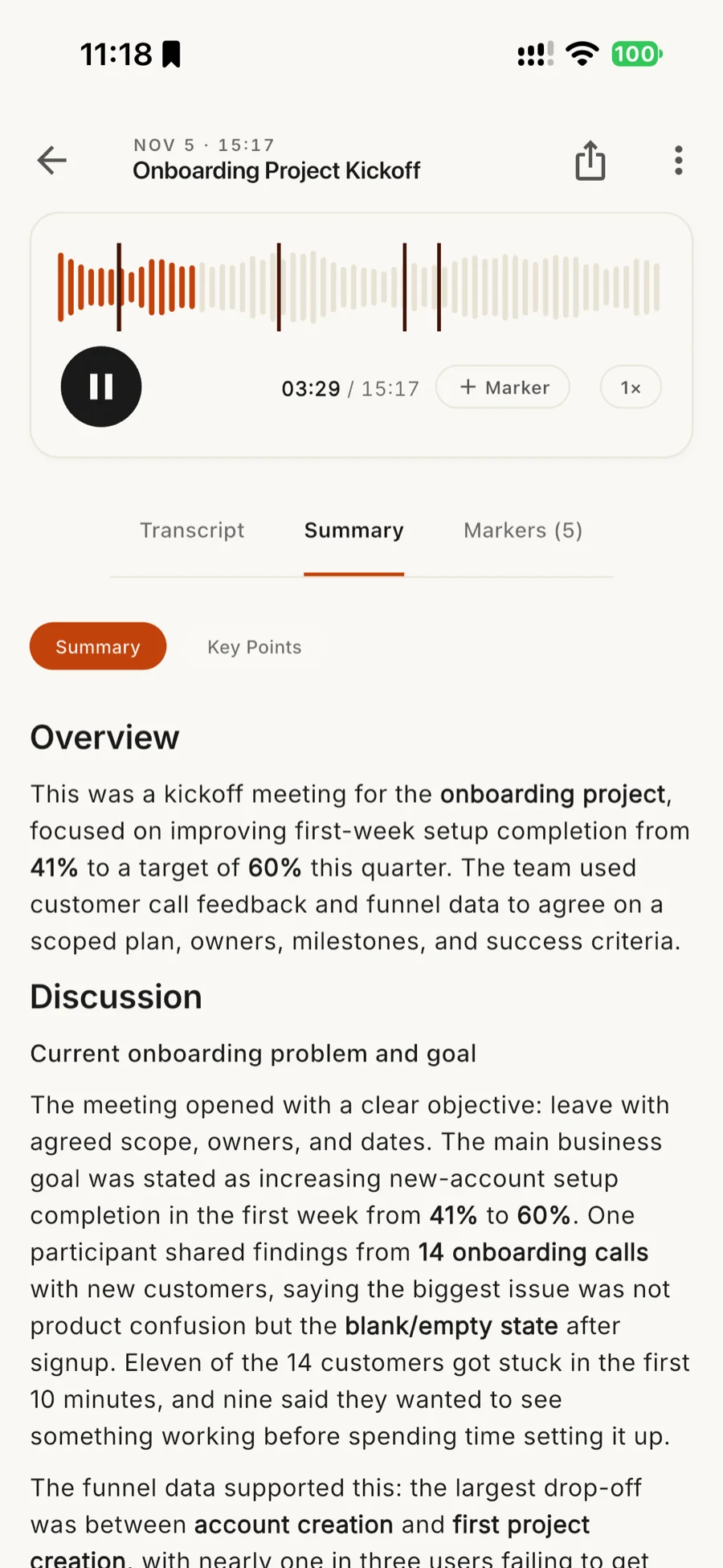
- Summary and key points.
A switch between the narrative and the list. Both are written for you.
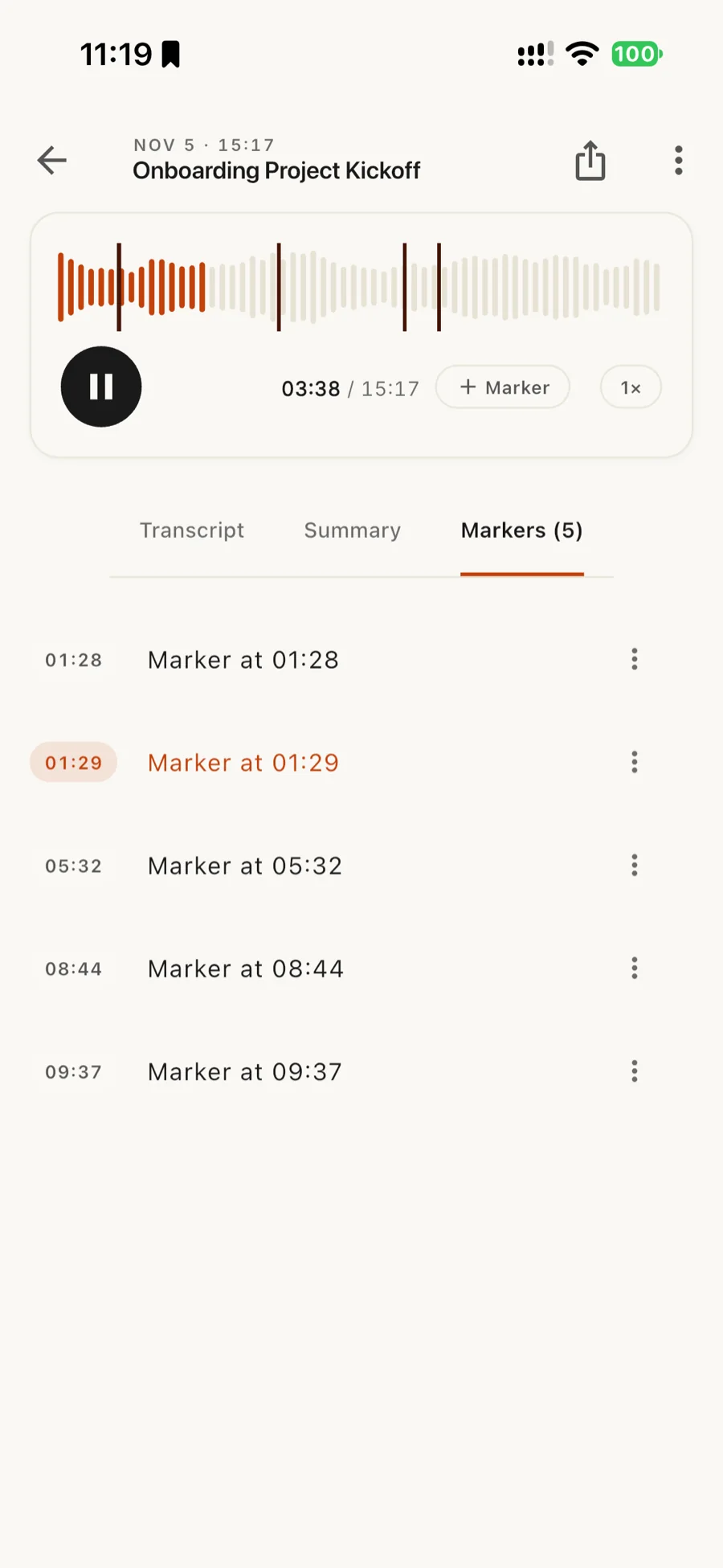
- Markers.
Flag a moment while you record or listen, and jump back to it.
Stays out of the way.
Lock the phone. Take the call.
Skriptr keeps recording with the screen off or another app open, and resumes by itself after an interruption. It will not start while a phone or video call is active. Transcription covers up to 1 hour per recording on Free, 5 hours on Pro; anything longer is still saved in full.
Saved before it is sent.
The recording is written to your phone the moment you stop. If the network is down, nothing is lost. If the app or the disk gives out mid-recording, what was captured is kept when possible. You get a warning before you start if storage is low. It syncs when you are back online.
On your terms.
Any connection, Wi-Fi only (the default), or manual. Interrupted uploads resume from the parts already sent. On Android 14 and newer, a long upload keeps going after you leave the app. Encrypted in transit. Delete anything, any time.
Ask your assistant what was said.
“What did we agree on in Tuesday’s client call?” A question your AI app can answer, once you let it read your recordings.
- Approval
- Through a link, a QR code or a typed code, confirmed with Face ID, Touch ID, fingerprint or passcode. A request expires within 10 minutes.
- What it reads
- All of your recordings, transcripts and summaries. The consent screen says so before you approve.
- Disconnect
- Settings lists every connected app with the date connected and last used. Disconnect any of them instantly.
Free to start. One price after that.
Every feature is in the free plan. Pro raises the limits.
Prices are in US dollars. The App Store and Google Play bill in your local currency and show the exact amount before you confirm. Subscribe in the app, cancel anytime. No free trial.
Before you press record.
Is Skriptr free?
Yes. Every feature works on the free plan, which covers 5 hours of transcription a month, with recordings up to 1 hour. Skriptr Pro raises recordings to 5 hours and gives a much larger monthly allowance, via in-app subscription. You will need an account — sign in with Apple, Google, or email. See the Pricing page.
Does it need the internet?
Recording works fully offline. Your recording uploads, transcribes and summarizes once you are back online, on the connection you allow.
Does Skriptr use my mobile data?
Only if you let it. In Settings, choose how uploads work: any connection, Wi-Fi only (the default), or manual.
What languages does it support?
Skriptr transcribes 99 spoken languages, in the language of your app and device settings. The app itself is available in 13: English, Indonesian, Malay, Filipino, Thai, Vietnamese, Chinese (Simplified), Japanese, Korean, Spanish, Portuguese (Brazil), French, and Dutch.
How long can a single recording be?
Up to 5 hours per recording on Pro, or 1 hour on Free. Five minutes before the limit Skriptr warns you, then asks whether to keep recording or stop. A recording that runs past your limit is saved whole and plays in full; only the part inside the limit is transcribed.
Can I record a phone call?
No. Skriptr will not record while a phone or video call is active. If a call or Siri interrupts a recording, it pauses and picks up again when the interruption ends.
Do I need permission to record people?
Often, yes, and the rules differ from place to place. The first time you record, Skriptr shows a short notice reminding you to get everyone’s consent. It is a reminder, not legal advice.
What if my phone runs low on storage?
Skriptr checks before you start and asks whether to record anyway if less than about an hour of space is left. If a recording stops early because the app or the disk gives out, the audio captured so far is saved when possible.
How do I find an old recording?
Search by title, or star a recording to save it and filter to Saved. You can rename a recording, delete several at once, and browse or play your library without a connection. Search looks at titles only.
Does it have a dark mode?
Yes, a switch in Settings. It starts in light.
Where is my audio stored?
Your recording is saved on your phone the moment you stop, then uploads for transcription. Uploads are encrypted in transit. You can delete a recording, or your whole account and its data, inside the app.
What devices does it run on?
iPhone (iOS 16+) and Android. No desktop app today.
Can I export the transcript?
Yes. Export as a PDF, plain text, or SRT subtitles, choosing whether to include the summary, transcript and key points. Print the PDF, share a link to the recording, or send it to specific email addresses. The PDF handles Thai, Khmer, Lao, Myanmar, Tamil, Japanese, Korean and Chinese; the fonts download the first time you need them.
Start with five free hours.
Skriptr is free to download on iPhone and Android.